Tag Archives: st louis video company

Getting the Best Ground and Drone Shots Together: A Strategic Guide to Visual Storytelling

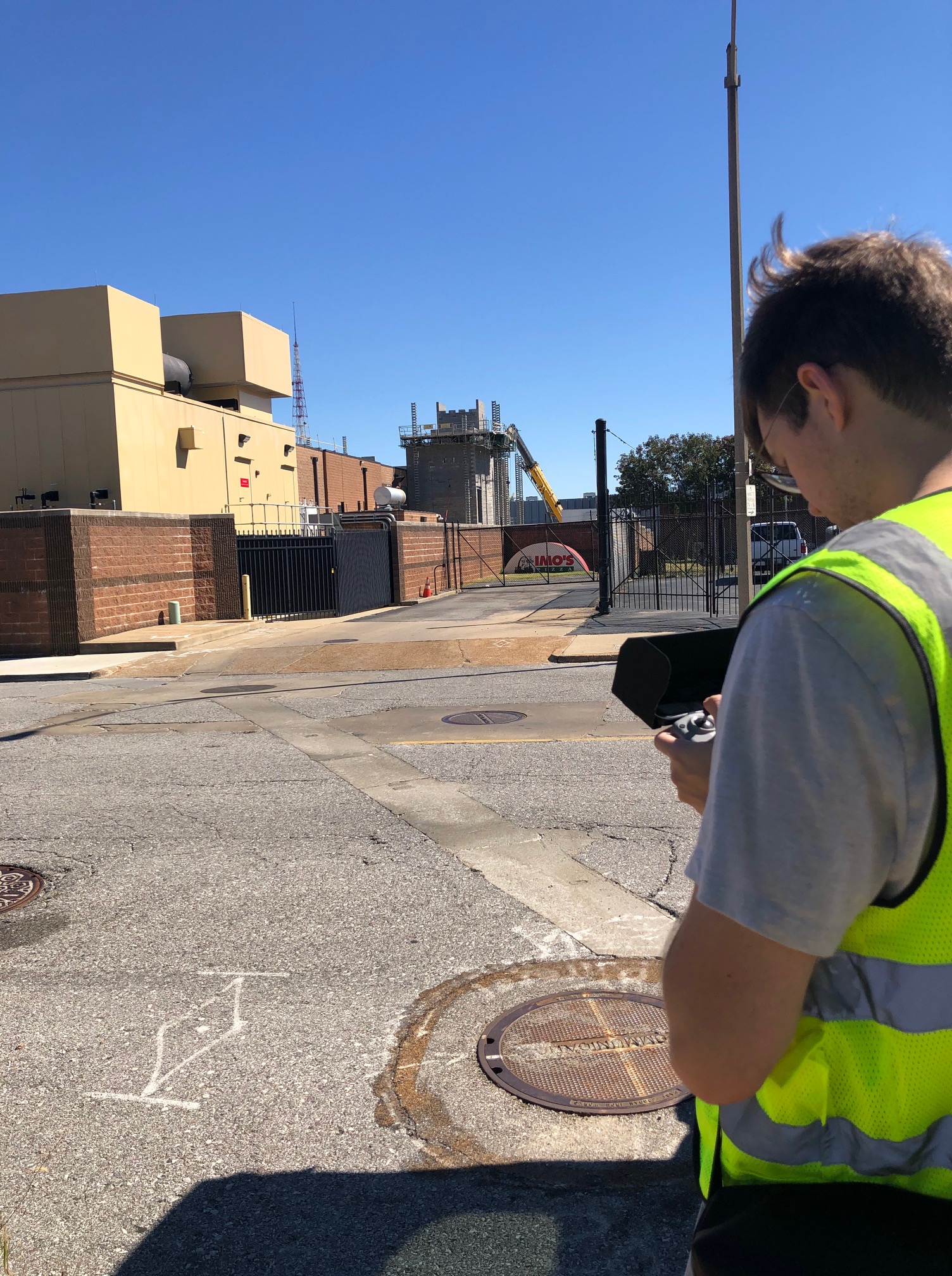
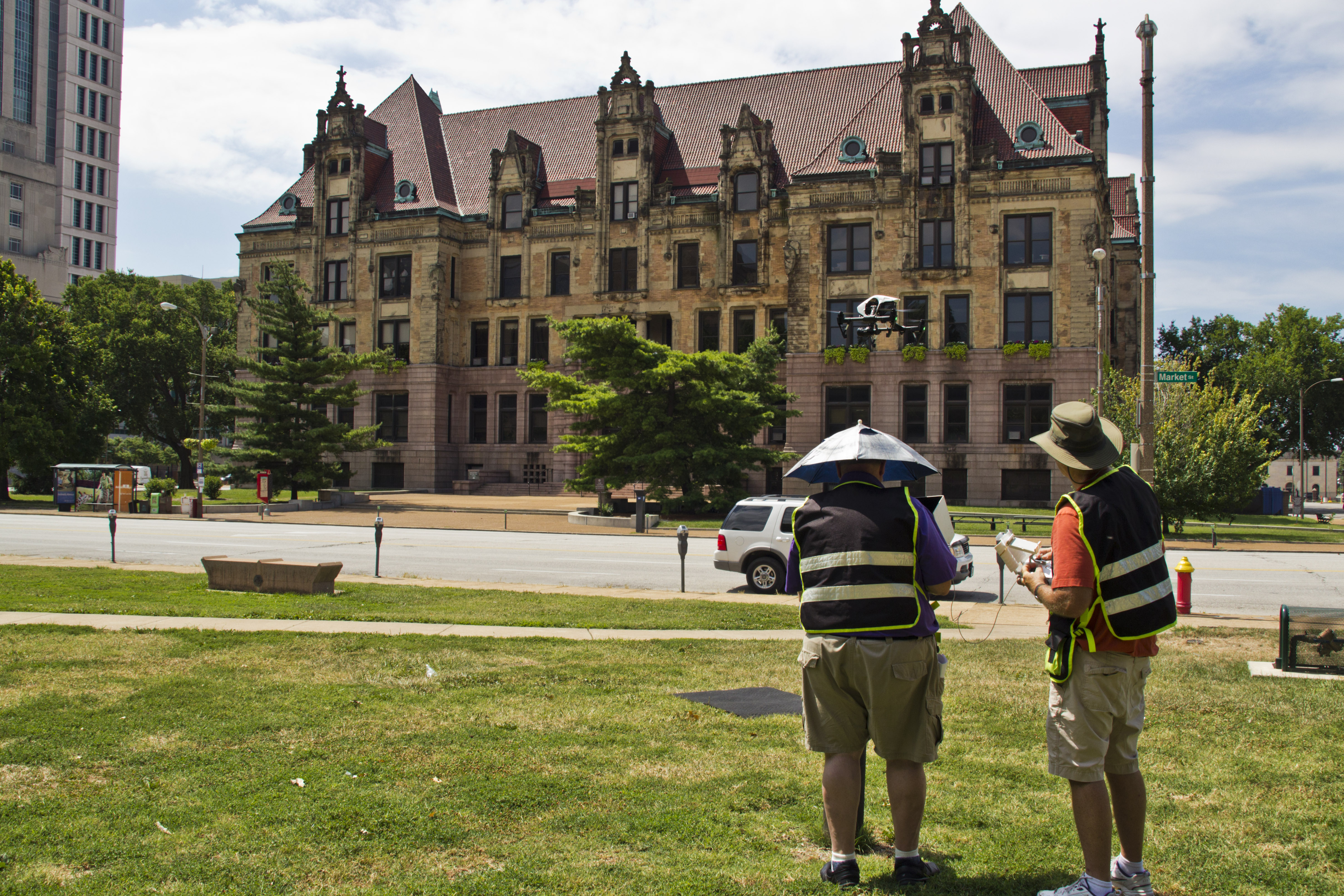
In today’s fast-paced visual media landscape, combining ground and drone footage is no longer just a luxury—it’s a competitive advantage. When done right, the interplay between aerial and ground-level shots creates depth, scale, and emotional engagement that static visuals alone cannot achieve. Whether you’re producing a brand video, a commercial, or a marketing campaign for a product or service, integrating these two perspectives ensures a more dynamic and immersive story.

At St Louis Video Editing, we understand the technical and creative nuances that go into blending ground and drone footage. In this post, we’ll walk you through the essentials of capturing cohesive visuals from both the sky and the ground—and how thoughtful planning and editing elevate your project.


1. The Power of Perspective

Ground shots give intimacy, texture, and direct storytelling—ideal for interviews, close-up product shots, and detailed walkthroughs. Drone shots, on the other hand, reveal context, scale, and movement. When combined, they work together to:

  • Highlight both the macro and micro elements of your story
  • Establish a location, then dive into specific details
  • Transition between scenes with smooth and professional pacing

The contrast between these vantage points helps your audience experience a story both emotionally and spatially.
2. Planning for Cohesion Before Shooting

To achieve seamless integration of drone and ground footage, it’s crucial to plan for:

  • Shot continuity: Matching camera movement, frame rates, and lighting styles helps maintain a consistent feel.
  • Purposeful transitions: Drone shots shouldn’t just be pretty visuals—they should serve a function: an establishing shot, a reveal, or a dynamic scene transition.
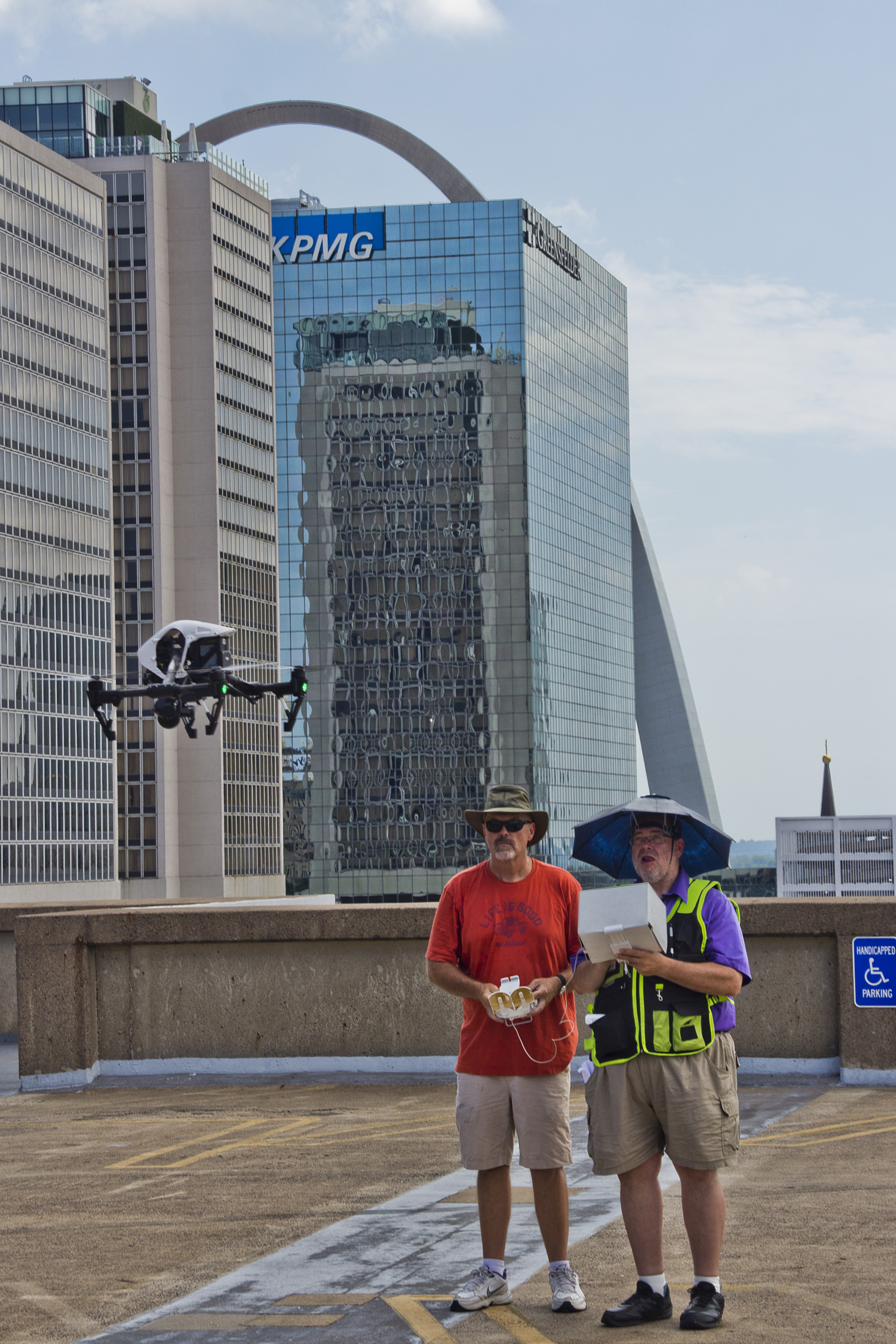
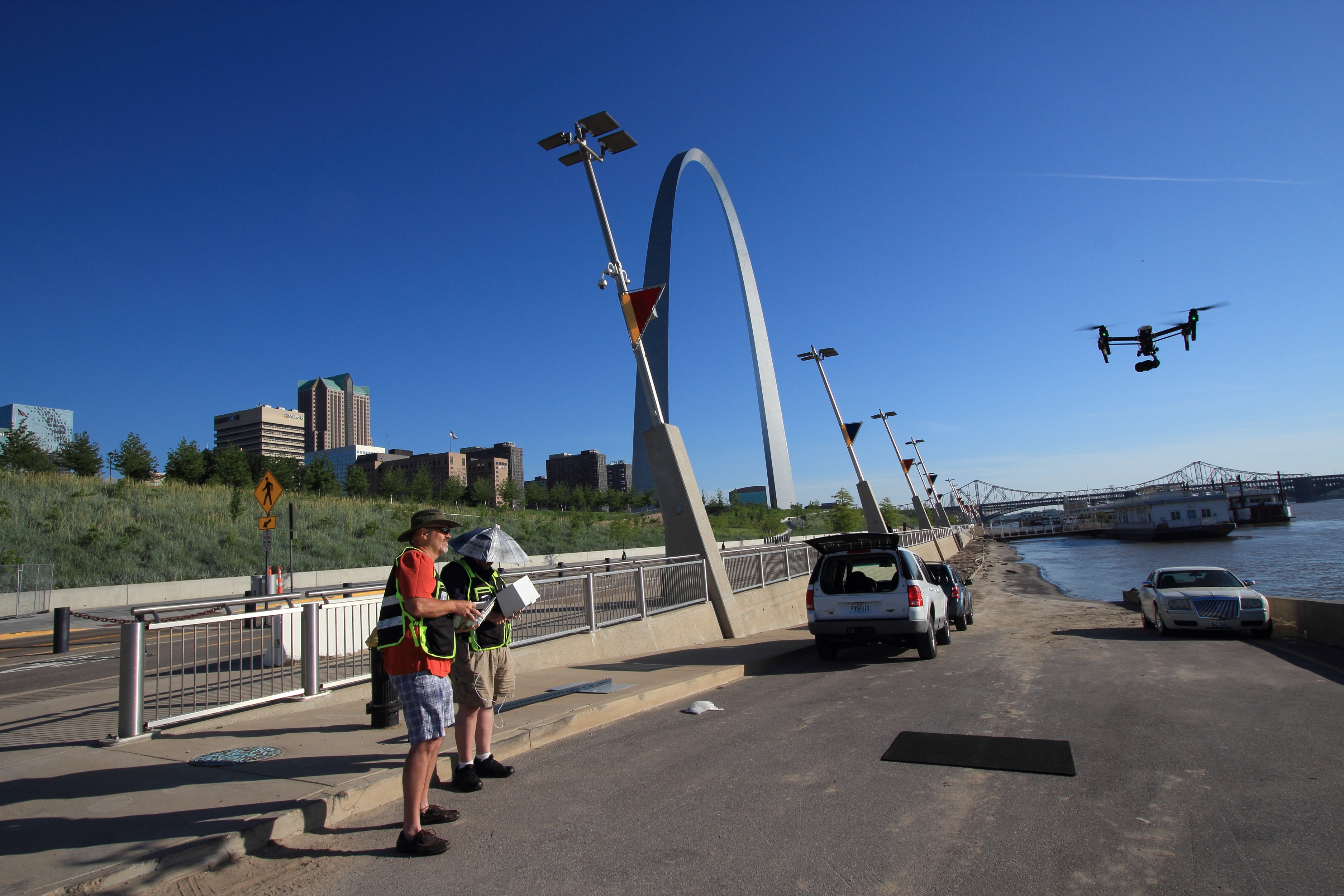
  • Location logistics: Ensuring the drone and ground crews aren’t in each other’s shots (unless intended) saves time in post-production.

A coordinated storyboard or shot list is key. At St Louis Video Editing, our producers work with clients beforehand to design these visual blueprints.
3. Equipment and Camera Matching

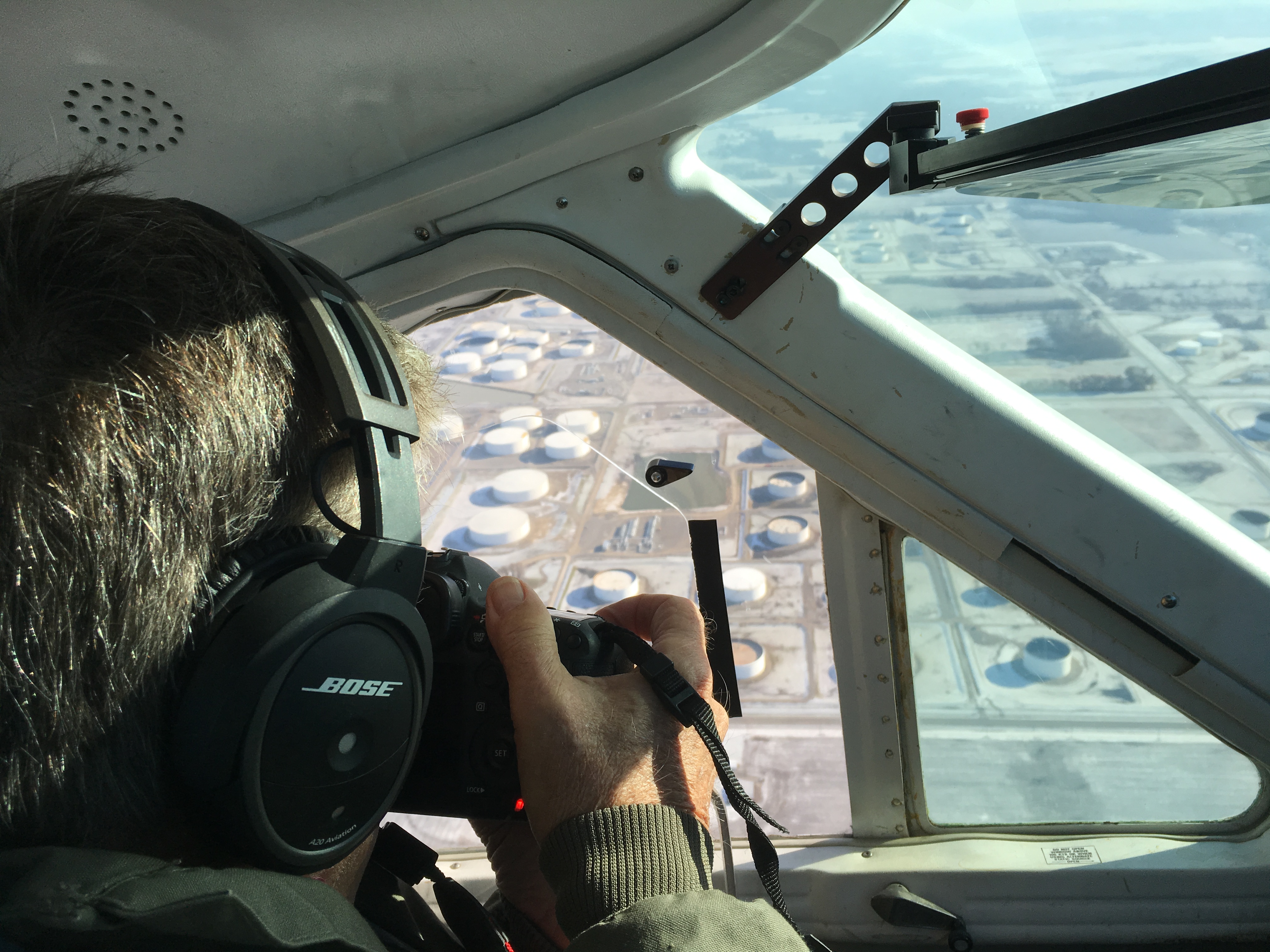
Matching cameras—or at least matching color profiles and resolution settings—is critical to maintaining consistency between ground and aerial footage. Our team uses professional-grade camera systems that are either matched or calibrated in post.

Key equipment considerations:

  • Gimbals for smooth motion on the ground
  • Stabilized drones for cinematic flight footage
  • Lens selection to keep visual continuity between shots

We also monitor weather and lighting conditions to optimize visual consistency across shots.


4. The Art of Editing Ground and Drone Together

The magic often happens in post. The editing process involves:

  • Color grading to unify tone and atmosphere
  • Motion matching so aerial fly-ins and ground pans blend seamlessly
  • Audio design that syncs location ambiance and background music with changing perspectives

We employ the latest AI-assisted editing tools to enhance footage without losing its authenticity, allowing for efficient workflows while maintaining high creative standards.


5. Creative Ways to Use Ground + Drone Footage

  • Construction updates: Drone shots show scale and progress, ground footage captures specific milestones.
  • Real estate marketing: Aerial views show property layout and surroundings, while interior walkthroughs build buyer interest.
  • Brand documentaries: Start with an aerial view of your facility or event and dive into employee stories or customer experiences.
  • Corporate testimonials: Pair a ground-level interview with a dynamic drone B-roll of the business in action.

Trust St Louis Video Editing with Your Ground and Drone Integration

With decades of experience capturing and editing compelling visuals, St Louis Video Editing is your trusted partner for cohesive ground and aerial productions. We are a full-service professional commercial photography and video production company, offering everything from custom studio interview setups to FAA-licensed drone pilots who can even fly indoors.

We support every step of your production—from location scouting to color grading—ensuring your message is clear, compelling, and ready for any media platform. Our experienced team uses the latest AI-powered editing software, industry-standard equipment, and creative vision to tailor every project to your brand’s unique voice.

Whether you’re building a campaign from scratch or refreshing your visual content, St Louis Video Editing specializes in repurposing your photography and video branding to help you gain more traction in a saturated market.

Let us help you capture your business from every angle—literally.


Since 1982, we’ve worked with businesses, marketing firms, and creative agencies across the St. Louis area. Our studio is outfitted with customizable sets, private lighting setups, and plenty of space to build out your vision. When you’re ready to integrate ground and drone shots into a high-impact marketing tool, give St Louis Video Editing a call.

Let’s create something that takes your message to new heights.
314-913-5626

mobuy1@gmail.com

A Guide to Different Types of Business Video Productions

In today’s fast-paced digital world, video production is a crucial component of a successful business strategy. From creating compelling brand stories to showcasing products and services, the right video can make a lasting impact on your audience. For decision-makers in businesses and organizations, understanding the various types of video productions available can help in making informed choices that drive results. This guide will walk you through different types of business video productions, highlighting their unique benefits and when they should be utilized.

1. Corporate Brand Videos

Corporate brand videos are designed to encapsulate the essence of your business—its mission, values, and unique selling points. These videos serve as a cornerstone of your branding strategy, often being the first point of contact for potential clients, partners, or employees. A well-executed brand video can:

  • Establish and reinforce your brand identity.
  • Communicate your company’s culture and values.
  • Build credibility and trust with your audience.

When to use: Ideal for your company’s website homepage, social media channels, and as part of presentations or meetings.

2. Product Demonstration Videos

Product demonstration videos are focused on highlighting the features, benefits, and usability of a specific product or service. These videos are highly effective in educating potential customers and driving conversions, as they provide a clear and engaging explanation of what your product does and how it can solve their problems.

When to use: Perfect for product launches, e-commerce websites, and marketing emails.

3. Customer Testimonial Videos

Customer testimonial videos are one of the most powerful tools for building trust. Featuring real clients who share their positive experiences, these videos add authenticity to your marketing efforts, providing potential customers with the social proof they need to make a decision.

When to use: Ideal for case studies, landing pages, and social media platforms.

4. Training and Educational Videos

Training and educational videos are vital for both internal and external communication. These videos can be used to onboard new employees, educate customers on product usage, or provide ongoing training to staff. The visual format helps ensure consistency in messaging and makes complex information more accessible.

When to use: Useful for HR departments, customer service teams, and as part of online education initiatives.

5. Event Coverage and Highlight Videos

Event coverage and highlight videos capture the excitement and key moments of your corporate events. Whether it’s a conference, trade show, or company retreat, these videos help extend the reach of your event and can be used for future promotion, internal communication, or as part of your brand’s storytelling.

When to use: Best suited for post-event marketing, internal communications, and promotional materials.

6. Explainer Videos

Explainer videos are crafted to simplify complex concepts and convey them in a clear and engaging manner. These videos are particularly effective for explaining how a product or service works, highlighting its benefits, and addressing common customer queries.

When to use: Great for websites, social media channels, and email marketing campaigns.

7. Social Media Videos

Social media videos are designed to be short, engaging, and highly shareable. With the rapid growth of platforms like Instagram, LinkedIn, and TikTok, businesses need to create content that quickly resonates with their audience. These videos can range from quick tips and product teasers to behind-the-scenes glimpses of your company.

When to use: Essential for maintaining ongoing engagement with your audience on social platforms.

8. Recruitment Videos

Recruitment videos are a powerful way to attract top talent by showcasing your company culture, work environment, and the benefits of joining your team. These videos give potential candidates an inside look at what it’s like to work at your company, helping you stand out in a competitive job market.

When to use: Ideal for careers pages, job postings, and LinkedIn recruitment efforts.

9. Animated Videos

Animated videos are a versatile and creative way to visualize complex topics. Whether you’re explaining a technical product or conveying a high-level concept, animation allows for greater flexibility and can make your message more memorable and engaging.

When to use: Suitable for explainer videos, branding campaigns, and product overviews.

Why Choose St Louis Video Editing for Your Next Production?

At St Louis Video Editing, we understand that the quality and impact of your video content are crucial to your business’s success. As a full-service professional video production company, we specialize in bringing your vision to life through expert editing, post-production, and creative storytelling.

Our team of experienced videographers, producers, and editors work collaboratively to ensure every detail of your project is handled with precision and creativity. We offer a comprehensive range of services, from studio and location video shoots to advanced editing and post-production techniques that polish your content to perfection.

With decades of experience, we’re equipped with the latest technology and software, enabling us to handle all file types and media styles. Whether you need a small-scale production or a complex multi-camera setup, our private studio provides the ideal environment to create stunning visuals that align with your brand’s identity.

We also offer specialized services, including indoor drone footage, custom interview setups, and repurposing existing content to maximize your investment. Since 1982, St Louis Video Editing has partnered with businesses, marketing firms, and agencies throughout the St. Louis area, delivering top-notch video productions that drive results.

Let us help you make your next video production not just good, but exceptional. Contact us today to learn how St Louis Video Editing can elevate your brand’s visual storytelling.

314-913-5626

mobuy1@gmail.com

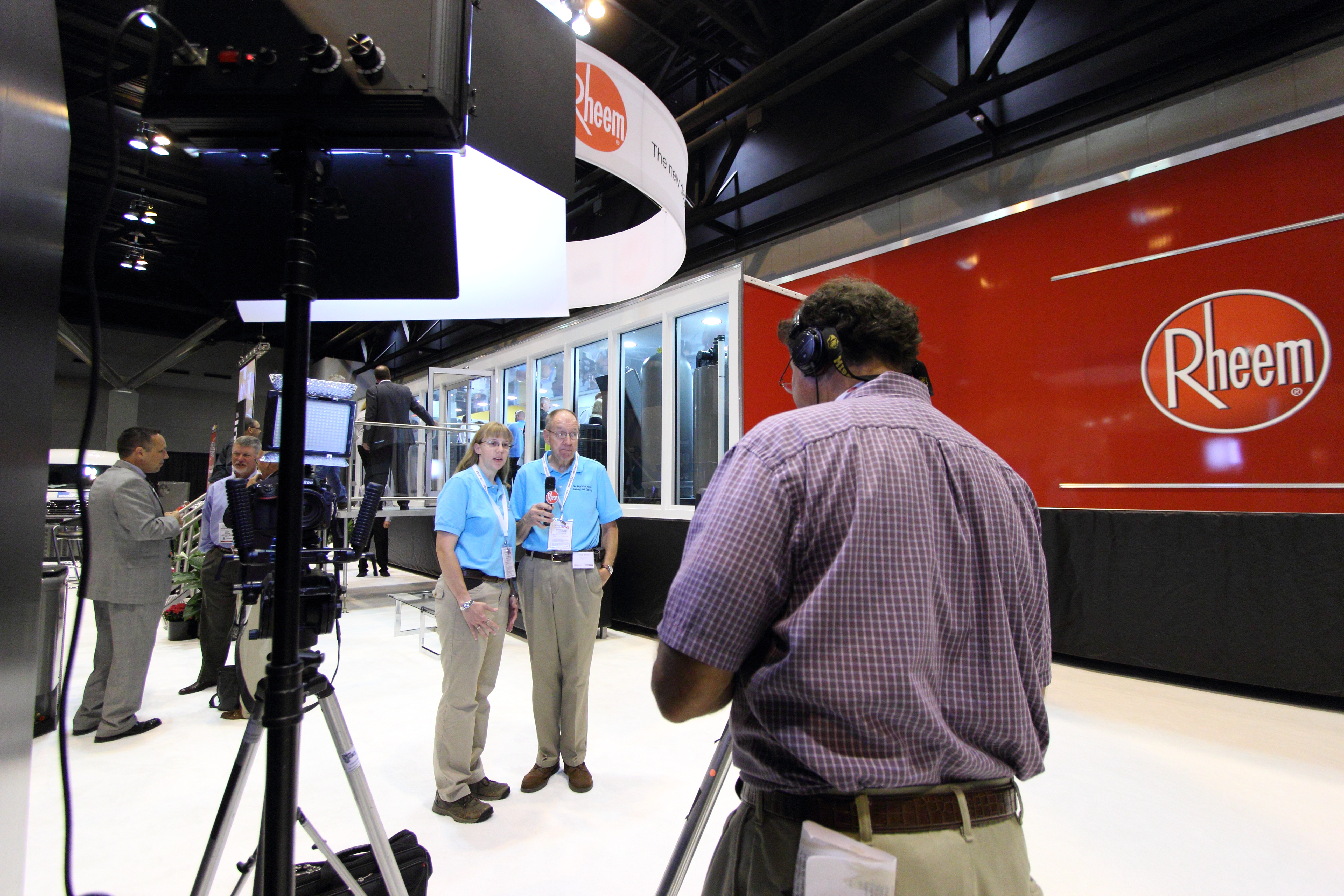
Interview and B-Roll Production Demystified: A Comprehensive Guide

Creating compelling and effective video content requires a blend of technical expertise, creativity, and strategic planning. Among the essential elements of professional video production are interviews and B-roll footage. These components work together to tell a cohesive and engaging story. In this guide, we will demystify the process of interview and B-roll production, providing you with valuable insights to make informed decisions for your business or organization.

While spontaneous answers can be valuable, having a structured set of questions ensures that all necessary topics are covered.

Understanding Interviews in Video Production

The Role of Interviews

Interviews are a cornerstone of many video projects, particularly in corporate, documentary, and promotional content. They provide a human element, adding authenticity and personal touch to your message. The success of an interview depends on several factors, including the setup, the interviewee’s comfort, and the overall production environment.

Key Elements of a Successful Interview Setup

  1. Location: Choosing the right location is crucial. Whether it’s an office, a studio, or an outdoor setting, the environment should align with the message of the interview.
  2. Lighting: Proper lighting enhances the visual quality and sets the mood. Soft, diffused lighting is often ideal for interviews as it reduces harsh shadows and creates a flattering image.
  3. Sound: Clear audio is non-negotiable. Using high-quality microphones and soundproofing techniques ensures that the interviewee’s voice is crisp and free from background noise.
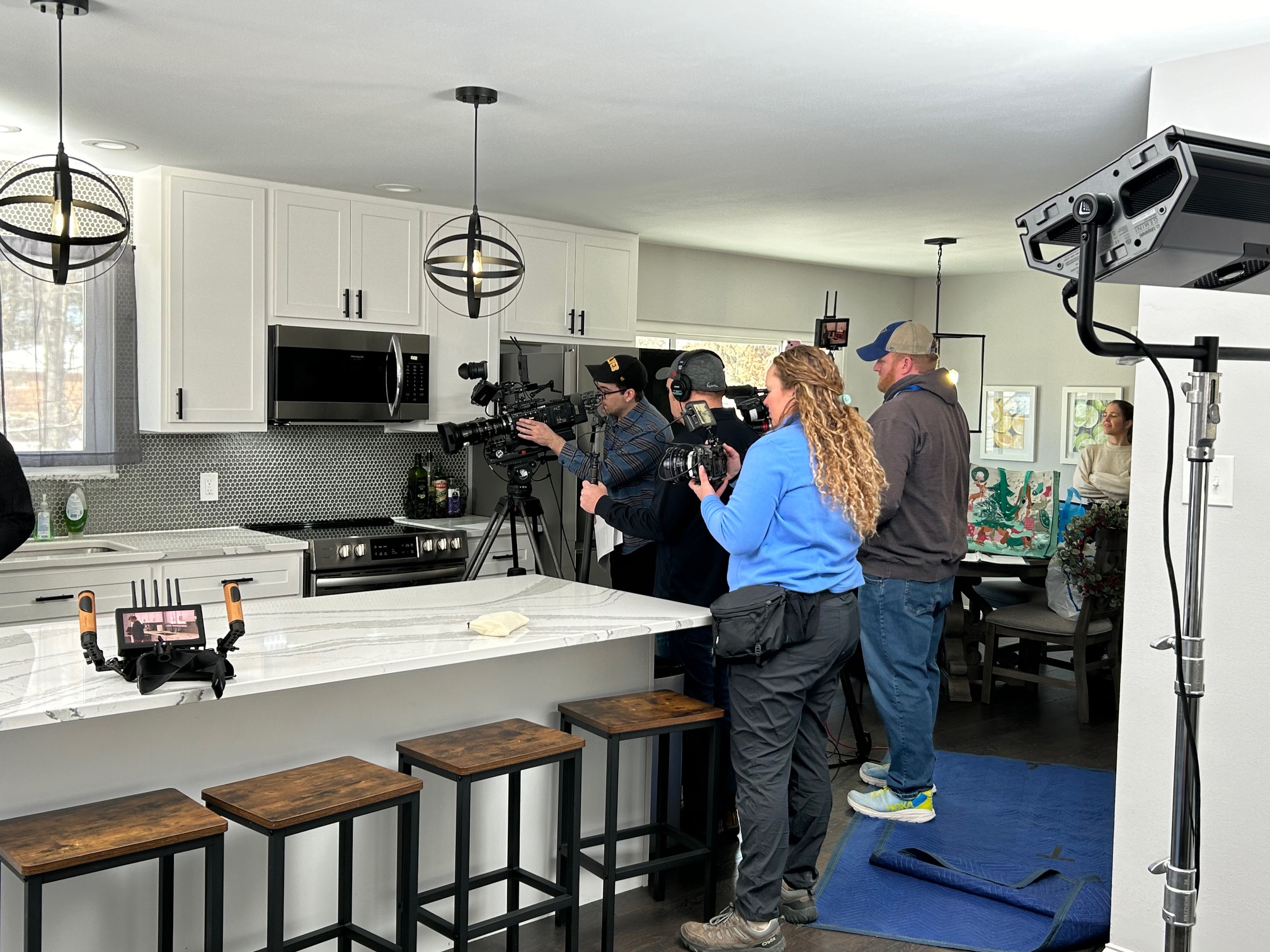
  4. Camera Setup: Multiple camera angles can add depth and variety to the footage. A standard setup might include a primary camera for the main shot and a secondary camera for side angles or close-ups.

Tips for Conducting Interviews

  • Prepare Questions in Advance: While spontaneous answers can be valuable, having a structured set of questions ensures that all necessary topics are covered.
  • Build Rapport: Spend time with the interviewee before filming to make them comfortable. A relaxed subject is more likely to provide genuine and engaging responses.
  • Stay Flexible: Be ready to adapt your questions based on the interviewee’s responses. Sometimes the best insights come from unexpected directions.

The Importance of B-Roll Footage

What is B-Roll?

B-roll is supplemental footage that enhances the primary video content. It includes shots that provide context, illustrate points, and break the monotony of the talking head shots. Effective B-roll can transform a good video into a great one by adding visual interest and depth.

Types of B-Roll

  • Contextual Shots: These provide background information, showing the environment or setting related to the interview.
  • Action Shots: Footage of people performing relevant activities adds dynamism and context.
  • Close-ups and Details: These shots focus on specific objects or actions, providing visual variety and highlighting key elements.

Best Practices for Shooting B-Roll

  • Plan Ahead: Identify potential B-roll opportunities during the pre-production phase. This ensures you capture all necessary footage.
  • Keep It Relevant: Make sure the B-roll footage directly relates to the interview content. Irrelevant shots can distract from the main message.
  • Variety is Key: Shoot a mix of wide, medium, and close-up shots to provide a range of options during editing.

Integrating Interviews and B-Roll

The magic of video production lies in the seamless integration of interviews and B-roll. During the editing process, B-roll is used to cover cuts, illustrate points made by the interviewee, and add visual interest. This blend keeps the audience engaged and helps convey a more comprehensive story.

Why Choose St Louis Video Editing

At St Louis Video Editing, we pride ourselves on being a full-service professional commercial photography and video production company. Our extensive experience and dedication to quality ensure that your video production needs are met with the highest standards.

Our Services Include:

  • Full-Service Studio and Location Video and Photography: We offer both studio and on-location shoots, tailored to your specific requirements.
  • Editing and Post-Production: Our skilled editors refine your footage to create a polished final product.
  • Licensed Drone Pilots: We provide aerial footage with our specialized drones, capable of both indoor and outdoor flights.
  • Custom Productions: We tailor our services to meet diverse media requirements, from branding videos to corporate communications.
  • Private Studio Setups: Our studio is equipped for small productions and interviews, with comprehensive lighting and visual setups.

Our Expertise

St Louis Video Editing has a proven track record of working with businesses, marketing firms, and agencies across the St. Louis area. Our team is well-versed in all file types, media styles, and accompanying software, ensuring your content is versatile and repurposable for various platforms.

Whether you need a custom interview studio setup, professional sound and camera operators, or specialized equipment, we have everything necessary to make your next video production perfect. Our commitment to excellence and creativity makes us the ideal partner for your corporate photography and video needs.

Transform your vision into reality with St Louis Video Editing. Contact us today to discuss your next project and experience the difference of working with true professionals.


By leveraging the expertise and resources at St Louis Video Editing, you can ensure that your video productions not only meet but exceed your expectations. From interviews to B-roll and beyond, we are here to make your stories come to life.

314-913-5626

mobuy1@gmail.com

What are the Top 10 Questions Asked About Editing a Corporate Video Production?

Creating a corporate video is a complex process that involves much more than just shooting footage. The editing phase is where the real magic happens, transforming raw footage into a polished, compelling story that aligns with your brand’s message. As decision-makers in businesses and organizations, understanding the intricacies of video editing can help you make informed choices that maximize the impact of your corporate videos. Here are the top 10 questions often asked about editing a corporate video production.

Music is a powerful tool in video production that can set the mood, emphasize key points, and enhance the overall viewing experience.

1. What is the Role of Editing in Corporate Video Production?

Editing is the process of selecting and combining shots, adding music, graphics, and effects to create a cohesive and engaging final product. It’s where the narrative is crafted, pacing is set, and the overall tone of the video is established. Good editing can make the difference between a mediocre video and a memorable one that resonates with your audience.

2. How Long Does the Editing Process Take?

The duration of the editing process depends on several factors, including the length and complexity of the video, the amount of raw footage, and the specific requirements of the project. A simple, straightforward video might take a few days to edit, while a more complex production could take several weeks.

3. What Software is Used for Editing?

Professional video editors use a range of software to achieve high-quality results. Popular options include Adobe Premiere Pro, Final Cut Pro, and DaVinci Resolve. These tools offer advanced features for color correction, sound editing, special effects, and more, ensuring a polished final product.

4. How Do You Ensure the Video Aligns with Our Brand?

During the pre-production phase, we work closely with you to understand your brand’s identity, messaging, and goals. This collaboration continues through the editing process, where we ensure that the visual and audio elements of the video reflect your brand’s style and tone. Consistent communication and feedback loops are crucial to achieving this alignment.

5. What Kind of Input Do We Need to Provide During the Editing Process?

Your input is vital throughout the editing process. Initially, we’ll need a clear understanding of your objectives and any specific requirements you have. As we progress, your feedback on rough cuts and draft versions will help refine the video to meet your expectations. Providing timely and constructive feedback ensures that the final product aligns with your vision.

6. Can You Add Graphics and Animations to Our Video?

Absolutely. Adding graphics and animations can enhance the visual appeal of your video and help convey complex information more effectively. Whether it’s logo animations, infographics, lower thirds, or motion graphics, we can integrate these elements seamlessly into your video.

7. How is Music Integrated into the Video?

Music is a powerful tool in video production that can set the mood, emphasize key points, and enhance the overall viewing experience. We source high-quality, licensed music that aligns with your brand and the video’s message. The music is carefully integrated to complement the visuals without overpowering them.

8. What About Voiceovers and Sound Effects?

Voiceovers and sound effects play a crucial role in storytelling. We work with professional voiceover artists to deliver clear and engaging narration that enhances your video’s message. Sound effects are also added to create a more immersive experience and emphasize specific actions or emotions.

9. How Do You Handle Revisions and Final Approvals?

We understand that revisions are a natural part of the creative process. We typically offer a set number of revision rounds, during which you can provide feedback and request changes. Final approval is given once you are completely satisfied with the video. Clear communication and a structured review process help ensure that the final product meets your expectations.

10. What Formats Will the Final Video Be Delivered In?

The final video can be delivered in various formats depending on your needs, including MP4, MOV, AVI, and others. We ensure that the video is optimized for its intended platform, whether it’s for web, social media, or broadcast. We also provide guidance on the best practices for distributing your video to maximize its impact.

Conclusion

At St Louis Video Editing, we understand the intricacies and importance of the editing process in creating a successful corporate video. Our full-service professional commercial photography and video production company is equipped with the right tools and creative expertise to deliver high-quality results. We offer comprehensive studio and location video and photography services, as well as editing, post-production, and licensed drone operations.

Our experienced team can customize your productions to meet diverse media requirements and repurpose your photography and video branding to gain more traction. We are proficient in all file types and styles of media, ensuring that your project is handled with the utmost care and precision. Our private studio lighting and visual setup are perfect for small productions and interview scenes, while our spacious studio can accommodate larger sets and props.

From private custom interview studio setups to providing sound and camera operators, we have everything needed to make your next video production perfect. Our specialized drones can even fly indoors, adding a unique perspective to your footage. St Louis Video Editing has worked with numerous businesses, marketing firms, and agencies in the St. Louis area, making us your go-to partner for all your corporate photography and video needs.

314-913-5626

mobuy1@gmail.com

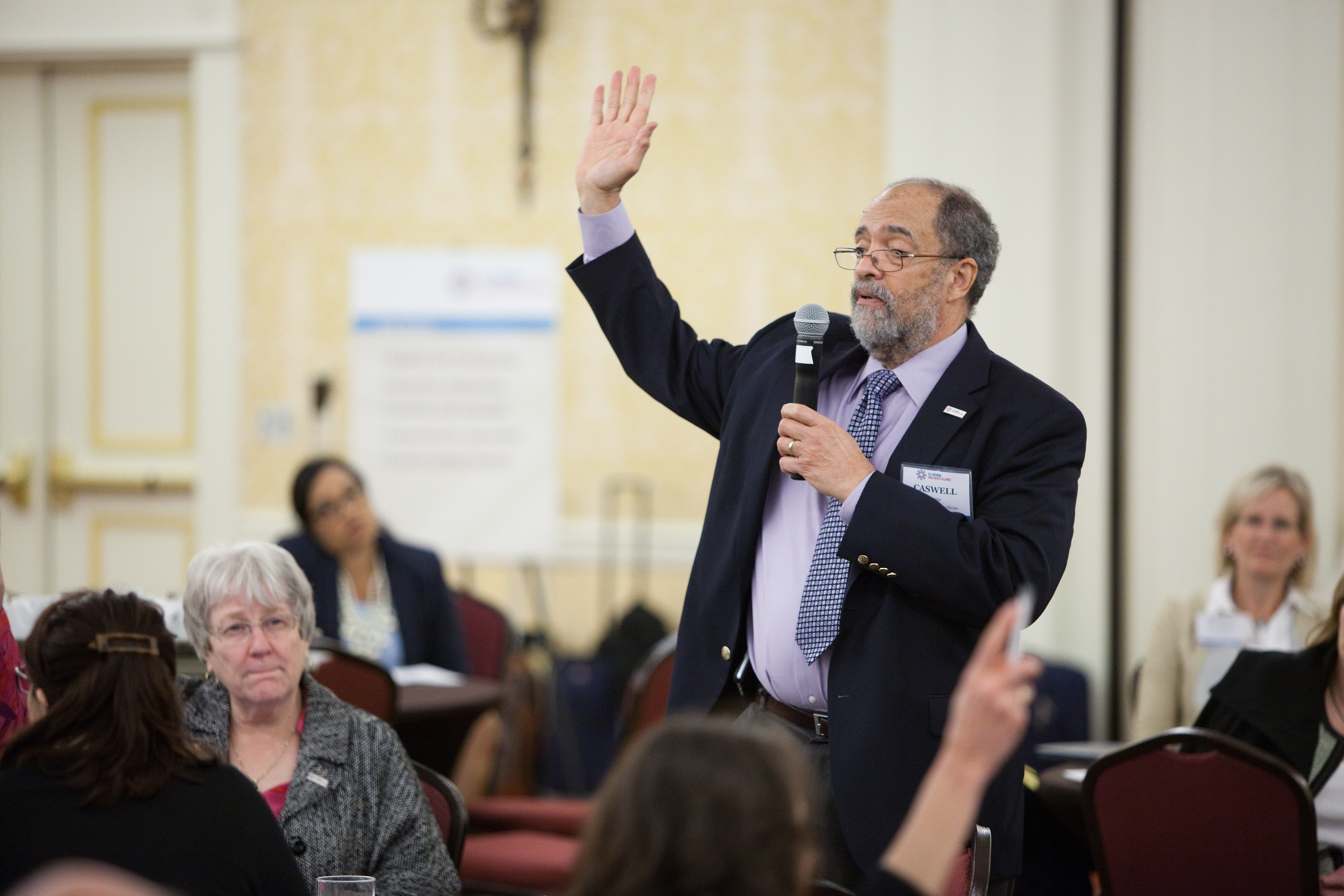
Mastering the Art of Videotaping Conference Speakers

Conference speakers are the lifeblood of any event, and their presentations are often the main draw for attendees. As an experienced photographer and videographer at St. Louis Video Editing, I’m here to guide you through the intricate process of mastering the art of videotaping conference speakers.

Convert conference sessions into online courses or webinars for extended education and monetization opportunities.

The Significance of Conference Documentation

Before we delve into the technical aspects of recording conference speakers, let’s understand why documenting conferences is essential. Conference documentation serves several critical purposes:

  1. Knowledge Preservation: Conferences often feature experts sharing valuable insights and knowledge. Recording these presentations ensures that this information is preserved for future reference.
  2. Wider Reach: In an age of digital connectivity, recorded conference sessions can be shared online, allowing a global audience to access and benefit from the content.
  3. Marketing and Promotion: High-quality videos of speakers can be used for marketing future events or promoting the current conference on social media and websites.
  4. Archival Purposes: Conferences hold historical value, and well-documented recordings can serve as archives for institutions, organizations, and industries.

Now that we understand the importance of conference documentation, let’s delve into the process of capturing speakers effectively.

Preparing for the Videotaping

1. Scouting the Venue

Before the conference begins, it’s crucial to visit the venue and assess the layout. Determine where the speakers will be positioned, the lighting conditions, and any potential obstacles that could affect your filming.

2. Equipment Checklist

As a full-service professional commercial photography and video production company, St. Louis Video Editing is well-equipped to handle conference documentation. Here’s a checklist of essential equipment:

  • Cameras: High-quality video cameras with interchangeable lenses for flexibility in different shooting scenarios.
  • Tripods: Sturdy tripods to ensure steady shots and eliminate shaky footage.
  • Microphones: Lavalier microphones or shotgun microphones for clear audio capture.
  • Lighting: Additional lighting equipment to enhance visibility and reduce shadows.
  • Backup Equipment: Always have backup cameras, memory cards, batteries, and cables to avoid any technical hiccups.

3. Pre-conference Speaker Briefing

Before the conference begins, meet with the speakers to discuss logistics. Explain the recording process, microphone placement, and any specific requests they may have. Building a rapport with the speakers will help them feel more comfortable on camera.

Filming Techniques

4. Camera Placement

Position your cameras strategically to capture the speaker from various angles. Ensure that the frame includes the speaker’s face, body language, and any visuals they may be presenting. Multiple camera angles can make the final video more engaging.

5. Lighting

Proper lighting is crucial for high-quality video. If the venue’s lighting is insufficient, consider adding external lights to illuminate the speaker evenly. Avoid harsh shadows on the speaker’s face, as this can be distracting.

6. Audio Capture

Capturing clear audio is equally important as video quality. Use lavalier microphones on the speakers to pick up their voices clearly. Additionally, record ambient audio to capture audience reactions and applause.

7. Visuals and Slides

If the speaker uses slides or visual presentations, make sure to capture them as well. Use a second camera or switch between the speaker and the visuals during editing to maintain viewer engagement.

During the Conference

8. Continuous Monitoring

Throughout the conference, continuously monitor your equipment, audio levels, and video quality. Make necessary adjustments as needed to ensure everything runs smoothly.

9. Backup Recordings

Record backup audio and video footage separately, ideally on different devices. This precaution can be a lifesaver if any technical issues arise during the conference.

Post-Production

10. Editing

Once the conference is over, it’s time to edit the footage. This process involves trimming unnecessary sections, improving audio quality, adding graphics or text overlays, and ensuring a seamless flow.

11. Color Correction

Apply color correction to enhance the overall look of the video. This step can make a significant difference in the final product, especially if lighting conditions were less than ideal.

12. Adding Graphics and Effects

To make the video visually engaging, consider adding graphics, animations, and effects. This can include speaker introductions, lower-thirds with their credentials, and transitions between segments.

Repurposing Conference Content

At St. Louis Video Editing, we understand the value of repurposing your conference photography and video content to gain more traction. Here are some ways to repurpose conference footage:

  • Social Media Clips: Create short, attention-grabbing clips from the conference sessions and share them on social media platforms to generate interest in upcoming events.
  • Online Courses: Convert conference sessions into online courses or webinars for extended education and monetization opportunities.
  • Blog Posts: Transcribe conference presentations and turn them into informative blog posts, helping you reach a wider audience.
  • Email Campaigns: Use snippets from the conference to engage your email subscribers and encourage them to watch the full sessions.
  • Marketing Collateral: Incorporate conference footage into your marketing materials, such as brochures, flyers, and promotional videos.

St. Louis Video Editing: Your Conference Documentation Partner

As a full-service video and photography production company, St. Louis Video Editing has extensive experience in capturing and documenting conferences. We have successfully worked with numerous businesses, marketing firms, and agencies in the St. Louis area for their corporate photography and video needs.

Our commitment to excellence is reflected in our state-of-the-art equipment, dedicated team of creative professionals, and a deep understanding of diverse media requirements. Whether you require studio or location videography and photography, editing, or post-production services, we have the expertise to tailor our services to your specific needs.

We are well-versed in handling various file types and styles of media, utilizing the latest software and technology to deliver exceptional results. When you choose St. Louis Video Editing, you’re not just hiring a service; you’re partnering with a team that is passionate about capturing the essence of your conferences and events.

Conclusion

Mastering the art of videotaping conference speakers is a multifaceted process that involves careful preparation, technical expertise, and post-production finesse. The importance of conference documentation cannot be overstated, as it serves as a valuable resource for knowledge preservation, marketing, and archival purposes.

At St. Louis Video Editing, we take pride in our ability to deliver top-notch conference documentation services. Our track record of working with businesses, marketing firms, and agencies in the St. Louis area speaks volumes about our dedication to excellence. With our state-of-the-art equipment, creative team, and proficiency in handling various media requirements, we are your ideal partner for successful conference documentation.

Don’t miss the opportunity to elevate your conference documentation to the next level. Contact us today to discuss your specific needs and let St. Louis Video Editing capture the essence of your next conference with precision and artistry.

Contact St. Louis Video Editing for all your conference documentation needs.

314-913-5626

mobuy1@gmail.com

Production Tips for Creating Standout Product Videos

Whether you are a small startup or a well-established corporation, creating standout product videos can greatly impact your brand’s success. As experienced business videographers at St. Louis Video Editing, we understand the nuances of producing high-quality product videos that grab your audience’s attention and leave a lasting impression. In this comprehensive guide, we will share valuable insights and production tips to help you create compelling product videos that shine.

Ensure the script is concise, engaging, and aligns with your brand’s tone and voice.

Understanding the Importance of Product Videos

Before diving into the production process, it’s crucial to recognize the significance of product videos in your marketing strategy. Product videos offer several advantages, such as:

  1. Increased Engagement: Studies have shown that videos can significantly boost engagement rates compared to static images or text content. People are more likely to watch a video to learn about a product rather than reading lengthy descriptions.
  2. Enhanced Understanding: Product videos allow you to demonstrate how your product works, its features, and benefits. This helps potential customers understand your offering better.
  3. Improved Conversion Rates: Well-produced product videos can lead to higher conversion rates. When customers see your product in action and witness its value, they are more likely to make a purchase.
  4. Better SEO: Search engines favor websites with video content, making it easier for your target audience to find your products online.

Now that you understand the importance of product videos, let’s delve into the essential production tips to ensure your videos stand out.

Pre-production Planning

  1. Define Your Goals: Start by clearly defining the objectives of your product video. Are you aiming to educate, entertain, or inspire your audience? Understanding your goals will shape the video’s content and style.
  2. Know Your Audience: Identify your target audience and tailor your video to resonate with their interests, preferences, and pain points. Speak directly to their needs to establish a deeper connection.
  3. Storyboarding: Create a storyboard or shot list outlining the scenes, shots, and sequences you want to include in your video. This helps you visualize the final product and ensures you capture all essential elements.
  4. Scriptwriting: Write a compelling script that conveys your message effectively. Ensure the script is concise, engaging, and aligns with your brand’s tone and voice.
  5. Location and Props: Choose appropriate locations and props that complement your product. Ensure good lighting and minimal distractions to maintain visual focus.

Filming Techniques

  1. Camera and Equipment: Invest in high-quality cameras and equipment to capture professional-looking footage. Use tripods or stabilizers to eliminate shaky shots.
  2. Lighting: Proper lighting is critical for achieving a polished look. Utilize natural light or invest in lighting kits to control the ambiance and highlight your product’s features.
  3. Composition: Pay attention to framing and composition. Use the rule of thirds, leading lines, and balanced shots to create visually appealing scenes.
  4. Angles and Perspectives: Experiment with different camera angles and perspectives to showcase your product from various angles. Close-ups, wide shots, and overhead shots can add depth and dimension to your video.
  5. Motion and Movement: Incorporate dynamic camera movements, such as panning, tracking, or zooming, to add visual interest and highlight key product features.

Audio and Voiceovers

  1. High-Quality Audio: Invest in a good microphone to capture clear audio. Eliminate background noise and ensure that the voiceover or narration is crisp and easy to understand.
  2. Music and Sound Effects: Select appropriate background music and sound effects that enhance the mood and reinforce your brand’s identity. Ensure that the audio complements the visuals.

Post-production Magic

  1. Editing: Use professional video editing software to piece together your footage. Pay attention to pacing, transitions, and visual effects to create a seamless and engaging video.
  2. Color Correction: Enhance the overall look of your video by color correcting and grading your footage. Consistent color tones can create a cohesive and polished appearance.
  3. Text and Graphics: Add text overlays, titles, and graphics to provide additional information about your product. Ensure that these elements are visually appealing and easy to read.
  4. Call to Action (CTA): Include a clear and compelling CTA at the end of your video, prompting viewers to take the desired action, such as visiting your website, subscribing, or making a purchase.

Optimizing for Different Platforms

  1. Mobile-Friendly: Optimize your product videos for mobile viewing, as a significant portion of users access content on smartphones and tablets. Ensure that your videos load quickly and display correctly on smaller screens.
  2. Social Media Integration: Tailor your videos for various social media platforms. Create shorter teaser videos or snippets for platforms like Instagram, TikTok, and Twitter, and ensure they are shareable.
  3. SEO Optimization: Incorporate relevant keywords and descriptions in your video’s metadata to improve its discoverability on search engines and video-sharing platforms like YouTube.

Measuring Success and Iterating

  1. Analytics: Monitor the performance of your product videos using analytics tools. Track metrics such as views, engagement, conversion rates, and audience demographics to assess the video’s impact.
  2. A/B Testing: Experiment with different video variations to determine what resonates best with your audience. Test different elements like the script, visuals, and CTA to optimize your videos further.
  3. Feedback and Improvement: Gather feedback from your audience and stakeholders to identify areas for improvement. Continuously refine your video production process to create even more effective product videos in the future.

St. Louis Video Editing: Your Trusted Partner in Video Production

As a full-service professional commercial video production company, St. Louis Video Editing has the experience, equipment, and creative crew to bring your product videos to life. Our comprehensive services include both studio and location creative video production, as well as editing and post-production expertise. We excel at customizing productions to meet diverse media requirements, helping you repurpose your branding for maximum traction.

Our team at St. Louis Video Editing is well-versed in all file types and media styles, utilizing cutting-edge software to ensure the highest quality output. With a proven track record of working with businesses and agencies in the St. Louis area, we have a deep understanding of the local market and its unique demands for corporate photography and video.

Don’t miss the opportunity to elevate your brand with standout product videos. Contact St. Louis Video Editing today and let us take your video production to the next level. Whether you need captivating product demonstrations, engaging promotional videos, or informative tutorials, we have the expertise to deliver outstanding results.

Let us be your partner in creating compelling product videos that captivate your audience and drive success. Contact St. Louis Video Editing now and experience the difference of working with a professional video production company.

314-913-5626

mobuy1@gmail.com

Advanced Techniques for Enhancing Live Video Streams through Editing

While live streaming provides immediacy and interactivity, it often comes with its fair share of imperfections – from technical glitches to unscripted moments. This is where the expertise of a seasoned video editor at St. Louis Video Editing can make all the difference. In this comprehensive guide, we will delve into advanced techniques for enhancing live video streams through the art of editing, turning raw live footage into polished, professional content.

Trim unnecessary segments, rearrange content for a more coherent narrative, and add visual elements to support your message.

The Importance of Editing in Live Video

Live video streaming offers a unique opportunity for direct engagement with your audience, but it also presents challenges. Viewers may tolerate minor hiccups in a live broadcast, but they expect a higher level of production quality when watching recorded content. This is where post-production editing comes into play. By refining your live stream through skilled editing, you can:

  • Enhance Visual Appeal: Clean up visual imperfections, adjust colors, and correct exposure issues to create a visually stunning video.
  • Improve Audio Quality: Remove background noise, balance audio levels, and ensure clear, crisp sound.
  • Enhance Storytelling: Trim unnecessary segments, rearrange content for a more coherent narrative, and add visual elements to support your message.
  • Add Professionalism: Incorporate graphics, text overlays, and animations to elevate the overall production value.
  • Engage Your Audience: Captivate viewers with attention-grabbing transitions, effects, and call-to-action prompts.

Now, let’s dive into the advanced techniques that can transform your live video streams into compelling, professional content.

1. Color Correction and Grading

One of the first steps in the editing process is color correction and grading. This involves adjusting the color balance, contrast, and saturation to achieve a consistent and visually pleasing look. Color correction corrects any issues with the initial footage, while color grading sets the mood and tone of the video.

Pro Tip: Use color grading to establish a visual theme for your brand or content, creating a recognizable style that resonates with your audience.

2. Audio Enhancement

Poor audio quality can quickly turn viewers away from your content. Effective audio enhancement includes noise reduction, equalization, and compression. It’s crucial to ensure that your voiceovers or dialogue are crystal clear, free from distracting background noises.

Pro Tip: Pay attention to audio levels and ensure that music, voiceovers, and sound effects are balanced for a seamless viewing experience.

3. Seamless Transitions

Smooth transitions between scenes or segments can greatly improve the flow of your video. Advanced editing techniques, such as cross-dissolves, wipes, and custom transitions, can make your video feel more polished and engaging.

Pro Tip: Be mindful of the pacing of your transitions; they should complement the content and not distract from it.

4. Text and Graphics Integration

Incorporating text overlays, titles, lower thirds, and graphics can provide context and reinforce key messages. Skillful integration of these elements can make your video more informative and visually appealing.

Pro Tip: Ensure that text and graphics are legible and consistent with your brand’s style guide.

5. Visual Effects and Motion Graphics

For a more dynamic and engaging video, consider adding visual effects and motion graphics. These can range from subtle animations to eye-catching graphics that enhance storytelling and captivate your audience.

Pro Tip: Use motion graphics strategically to highlight important information or create visual interest.

6. Storyboarding and Storytelling

Editing is not just about making your video look good; it’s also about crafting a compelling narrative. Storyboarding is a valuable technique for planning the structure of your video and ensuring that it effectively conveys your message.

Pro Tip: Use storyboards to visualize the sequence of shots and transitions before you start editing.

7. Optimizing for Various Platforms

Different platforms have varying requirements for video formats, aspect ratios, and lengths. To maximize the reach of your content, it’s essential to optimize your video for each platform you intend to use. This may involve creating multiple versions or repurposing content.

Pro Tip: Stay updated with platform-specific guidelines to ensure your video performs well across all channels.

8. Quality Control and Review

Before finalizing your edited live video, perform thorough quality control and review. Check for any remaining imperfections, audio glitches, or visual inconsistencies. Consider seeking feedback from others to gain different perspectives.

Pro Tip: Take the time to watch your video as if you were an audience member to identify any potential issues.

St. Louis Video Editing: Your Partner in Video Production and Post-Production

At St. Louis Video Editing, we understand the intricacies of video editing and its pivotal role in transforming live video streams into captivating content. With years of experience as a full-service video production and post-production company, we have honed our skills to perfection. Our creative crew possesses the expertise, creativity, and technical know-how to elevate your video productions to new heights.

Our services encompass:

  • Full-Service Studio and Location Video Recording: Whether you require a controlled studio environment or on-location filming, we have the equipment and expertise to deliver exceptional results.
  • Editing: Our video editors employ advanced techniques to craft polished, professional videos that convey your message effectively.
  • Photography: In addition to video production, we offer photography services to capture high-quality images that complement your video content.
  • Customization: We tailor our video productions to suit a diverse range of creative needs, ensuring that your content aligns with your objectives.
  • Repurposing: Maximizing the impact of your content is our specialty. We can repurpose your productions to reach a broader audience and enhance their traction.

Our proficiency extends to all file types and media styles, ensuring that your project receives the attention to detail it deserves. When you partner with St. Louis Video Editing, you can expect nothing less than exceptional quality and professionalism.

As a full-service video creation company, St. Louis Video Editing has collaborated with numerous businesses in the St. Louis area, crafting remarkable marketing tools that leave a lasting impression. Our experienced videographers and producers are dedicated to creating impactful studio images that resonate with your audience.

In conclusion, the power of editing in enhancing live video streams cannot be overstated. It’s the bridge that transforms raw, unpolished footage into a professional, engaging, and impactful piece of content. By implementing advanced techniques such as color correction, audio enhancement, seamless transitions, and storytelling, you can captivate your audience and leave a lasting impression.

If you’re ready to take your live video streams to the next level, trust the experts at St. Louis Video Editing. Contact us today and let us help you unleash the full potential of your video content.

Call to Action: As a full-service video creation company, St. Louis Video Editing has worked with many businesses in the St. Louis area to create some rather remarkable marketing tools. We have experienced videographers and producers to create impactful studio images. Contact us today to discuss how we can elevate your video content and make it shine. Your audience deserves nothing but the best, and we’re here to deliver it.

314-913-5626

mobuy1@gmail.com

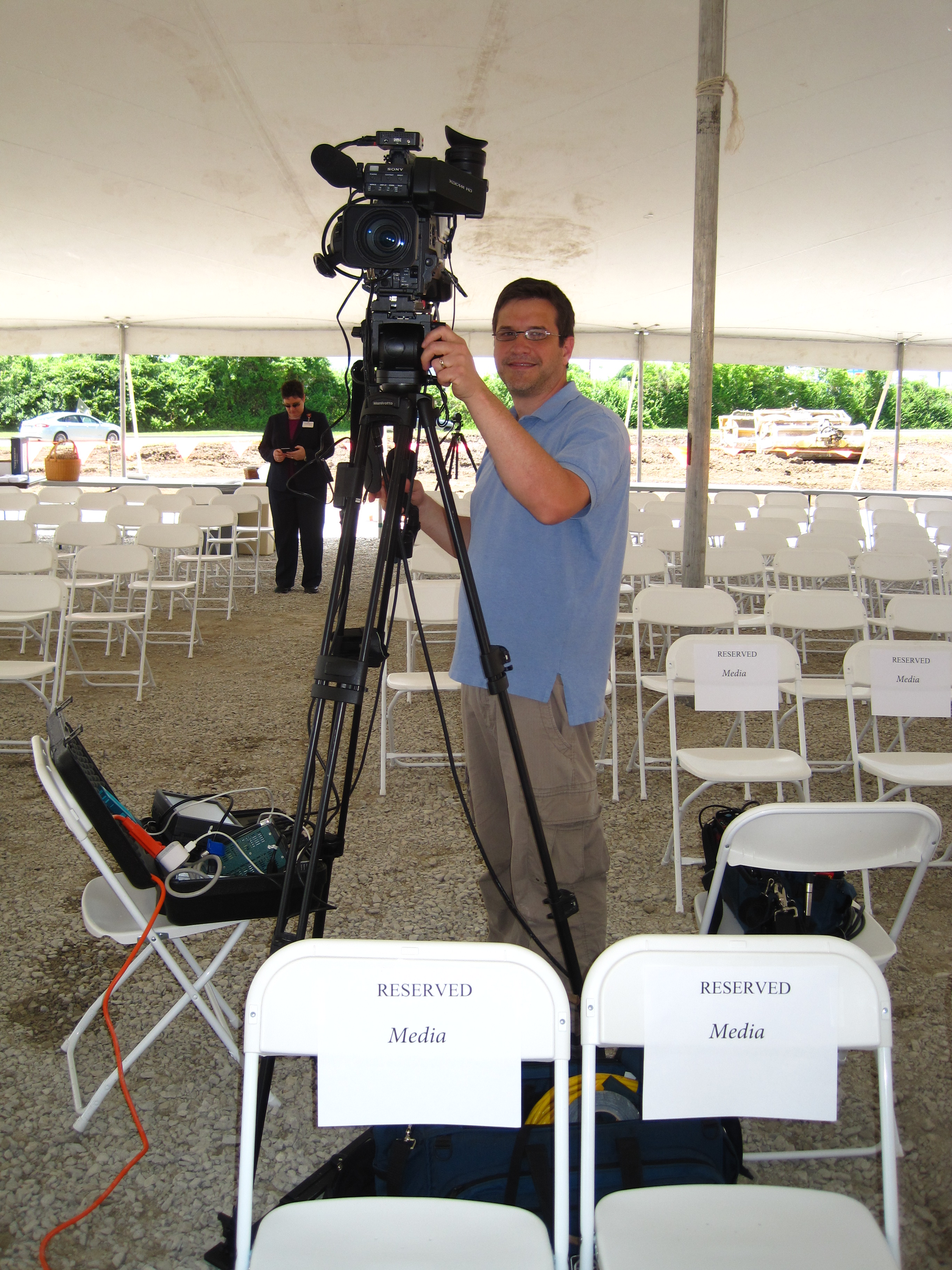
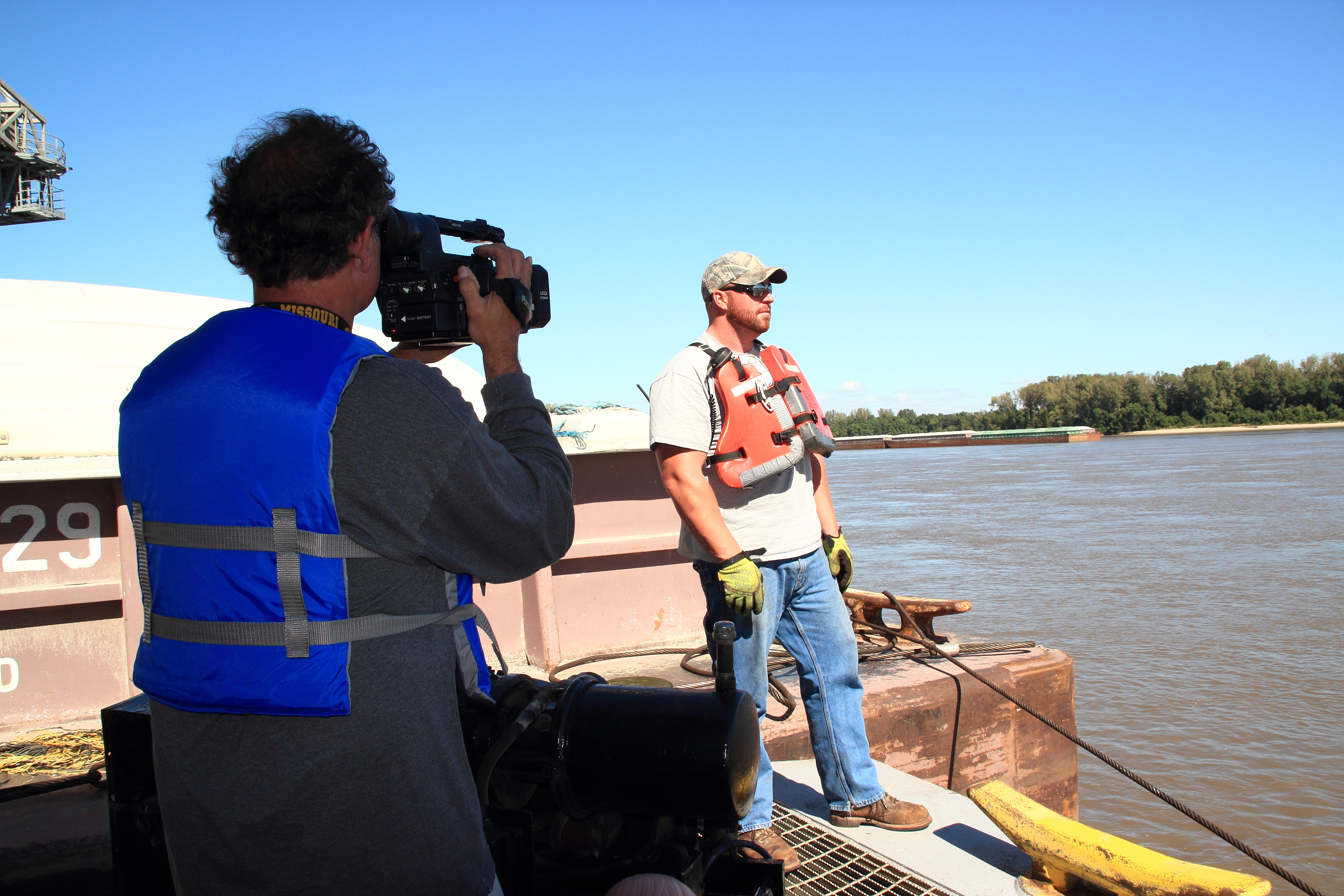
Planning and Executing Smooth Location Video Shoots

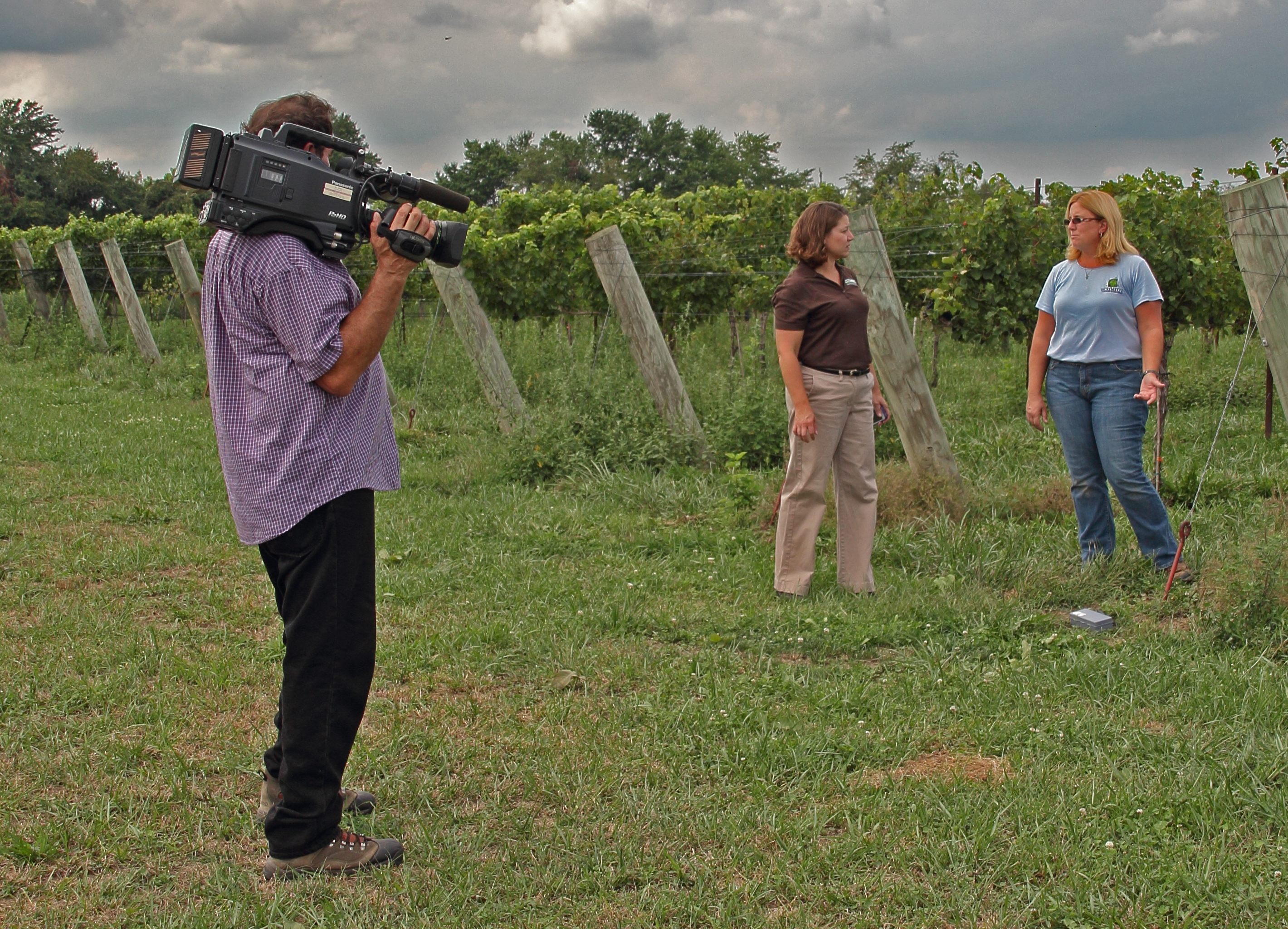
Are you planning to shoot a video on location? Whether you’re working on a corporate video, a documentary, a promotional video, or any other type of project, location shoots can present unique challenges and opportunities. As experienced videographers at St. Louis Video Editing, we understand the intricacies of location video production and are here to guide you through the process. In this comprehensive guide, we’ll share our expertise on planning and executing smooth location video shoots, covering everything from pre-production to post-production.

Before you start shooting, conduct a rehearsal with your talent and crew. This will help everyone understand their roles and ensure a smoother shoot.

Understanding the Importance of Location

The choice of location can significantly impact the overall quality and effectiveness of your video. It sets the stage, conveys your message, and establishes the visual and emotional tone of your content. Here are some key considerations when selecting a location:

  • Relevance: Ensure that the chosen location aligns with the content and message of your video. It should enhance the storytelling rather than distract from it.
  • Permits and Permissions: Depending on your location, you may need permits or permissions to shoot there. It’s crucial to research and obtain any necessary approvals in advance to avoid legal issues.
  • Accessibility: Consider how easy it is for your crew and equipment to access the location. Accessibility can impact the logistics of your shoot.
  • Lighting: Natural lighting can be a powerful asset for location shoots. Assess the lighting conditions at different times of the day and plan your shoot accordingly.

Pre-Production Planning

A successful location video shoot starts with thorough pre-production planning. Here’s what you need to do before setting foot on location:

1. Define Your Objectives

Clearly outline the goals and objectives of your video. What message are you trying to convey? Who is your target audience? Understanding these factors will help you make informed decisions throughout the production process.

2. Develop a Shot List and Storyboard

Create a detailed shot list and storyboard to visualize your video. This will serve as a roadmap during the shoot and help ensure that you capture all the necessary footage.

3. Scout the Location

Visit the location in advance to assess its suitability for your shoot. Take note of potential challenges, such as noise, distractions, or limited space, and develop strategies to address them.

4. Assemble Your Crew

Choose your team carefully. Depending on the complexity of your project, you may need a director, cinematographer, sound engineer, lighting technician, and production assistants. Effective communication and collaboration among team members are essential for a smooth shoot.

5. Equipment and Gear

Determine the equipment and gear you’ll need for the shoot. This includes cameras, lenses, tripods, stabilizers, microphones, lighting equipment, and any other specialized tools. Ensure that everything is in good working condition and have backup equipment on hand.

6. Plan for Contingencies

Location shoots can be unpredictable. Prepare for unexpected challenges like bad weather or technical issues by having backup plans in place. Consider renting weather-resistant equipment if needed.

7. Schedule and Permits

Create a detailed shooting schedule that takes into account the location’s availability and any time constraints. Secure any necessary permits and permissions well in advance to avoid last-minute complications.

On-Location Tips

When you’re on location, it’s essential to stay organized and adaptable. Here are some tips for a successful shoot:

1. Conduct a Rehearsal

Before you start shooting, conduct a rehearsal with your talent and crew. This will help everyone understand their roles and ensure a smoother shoot.

2. Communicate Effectively

Clear and open communication is crucial on set. Establish a system for communicating with your team, including hand signals or walkie-talkies if necessary. Everyone should be on the same page regarding shot setups and timing.

3. Monitor Audio

Pay close attention to audio quality. Use headphones to monitor sound during the shoot and address any issues immediately. Ambient noise and wind can be significant challenges in outdoor locations, so be prepared with the right equipment and techniques.

4. Lighting Considerations

Utilize natural light whenever possible, but also have artificial lighting options on hand to control the scene’s lighting conditions. Diffusers, reflectors, and flags can help you achieve the desired look.

5. Capture B-Roll

In addition to your planned shots, capture plenty of B-roll footage. B-roll can be invaluable during the editing process, providing visual variety and context for your video.

Post-Production Excellence

Once you’ve wrapped up your location shoot, it’s time to bring all the pieces together in post-production. This is where the magic happens, turning raw footage into a polished video.

1. Ingest and Organize Footage

Transfer all your footage to your editing system and organize it systematically. Use clear naming conventions and folders to keep everything tidy and easy to locate.

2. Edit with Precision

Editing is where you craft the narrative of your video. Make sure your cuts are smooth, transitions are seamless, and the pacing is just right. Pay attention to audio levels and color correction to enhance the overall quality.

3. Add Graphics and Effects

Enhance your video with graphics, text overlays, and visual effects as needed. These elements can help clarify information, reinforce branding, and create a polished look.

4. Sound Design

Sound design is a critical aspect of video production. Use background music, sound effects, and voiceovers to enhance the viewer’s experience. Ensure that audio is balanced and free from distractions.

5. Quality Assurance

Review your video multiple times to catch any errors or inconsistencies. Check for visual and audio glitches, ensure that the narrative flows smoothly, and verify that all necessary information is included.

6. Export and Delivery

Once you’re satisfied with the final edit, export your video in the appropriate format and resolution for its intended use. Consider creating different versions for various platforms, such as social media or web streaming.

Conclusion

Planning and executing location video shoots require careful preparation and attention to detail. By following the steps outlined in this guide, you can increase the likelihood of a successful shoot and create compelling videos that captivate your audience.

As a full-service video company, St. Louis Video Editing has worked with many businesses in the St. Louis area to create video productions. With our extensive production equipment and experience in location video production, we can help you achieve your vision for your next project. Whether you need assistance with streaming video recordings, editing, or customized branding, our team is well-versed in all aspects of location and studio production. Contact us today to discuss your video production needs and let us bring your ideas to life.

Make your next location video shoot a success with the expertise and support of St. Louis Video Editing!

314-913-5626

mobuy1@gmail.com